AI Project · Work in progress
Polo Finder
Hunting thrift racks for golf polos from courses all over the United States, plus the AI-built pipeline behind it: route planning, buy-or-pass pricing, photo cleanup, listing drafts, and SKU tracking.
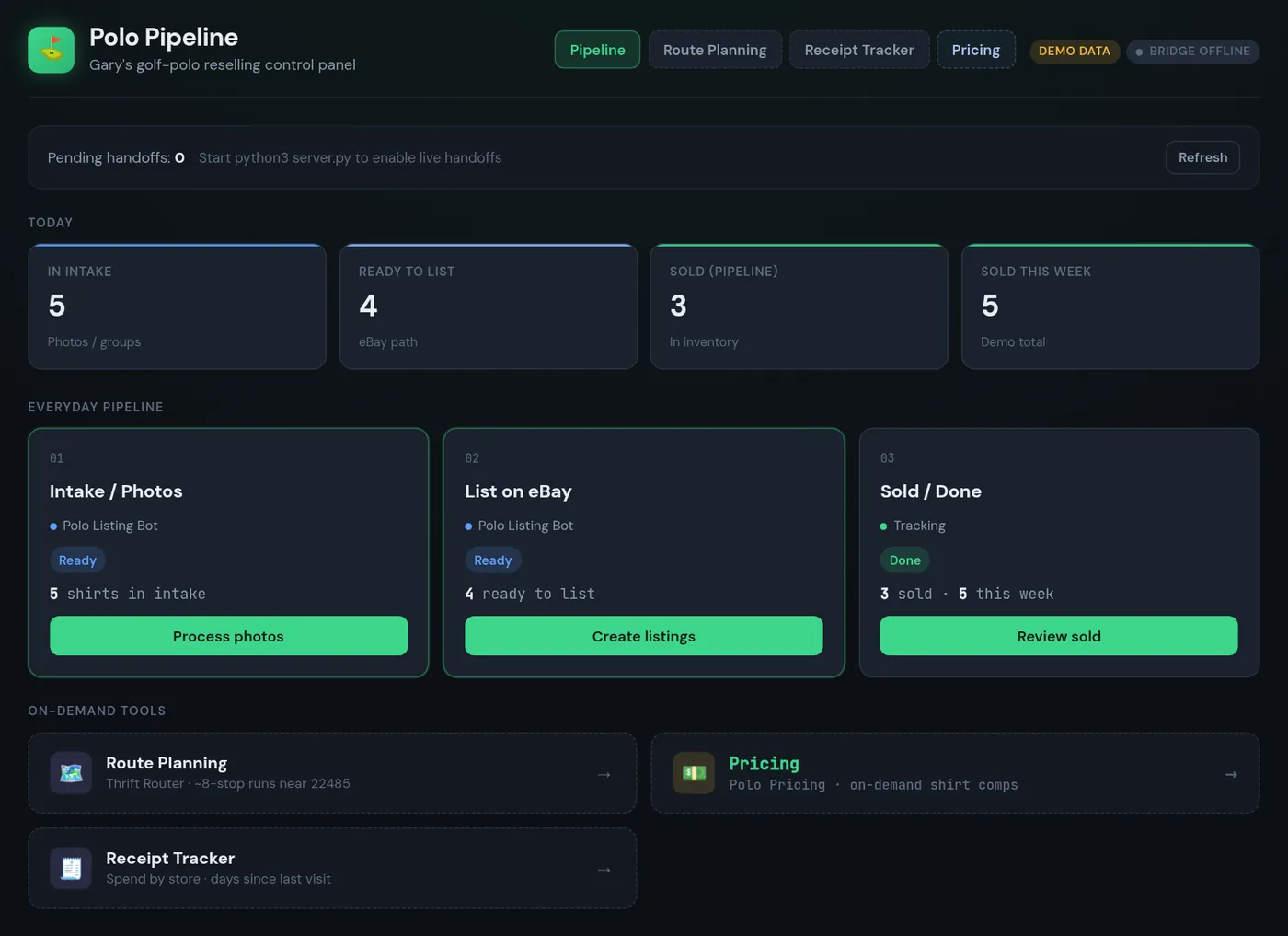
The app's home screen, shown with demo data.
- AI assistants
- 4 bots
- Thrift runs
- 8 stops
- Every shirt
- 1 SKU
- Status
- Building
The story
Why I love it.
I started selling used golf polos just for fun, really. Now I love it.
What I love most is finding polos from golf courses all across the United States, and the process around the whole thing: standing up the inventory tagging process, and figuring out how to store listed shirts so I can pull them quickly when they sell.
It's also a pretty cheap hobby. A lot of it is just driving around to different thrift stores, searching for those needles in a haystack.
I got started through a friend, Shane Canup, who does something similar, mostly with professional and collegiate sports gear. The different pages in the app came straight out of conversations we had while driving around. I built it all with AI. It's still a work in progress, but there's some really interesting stuff being worked on, so feel free to go deep.
The hunt
Needles in a haystack.
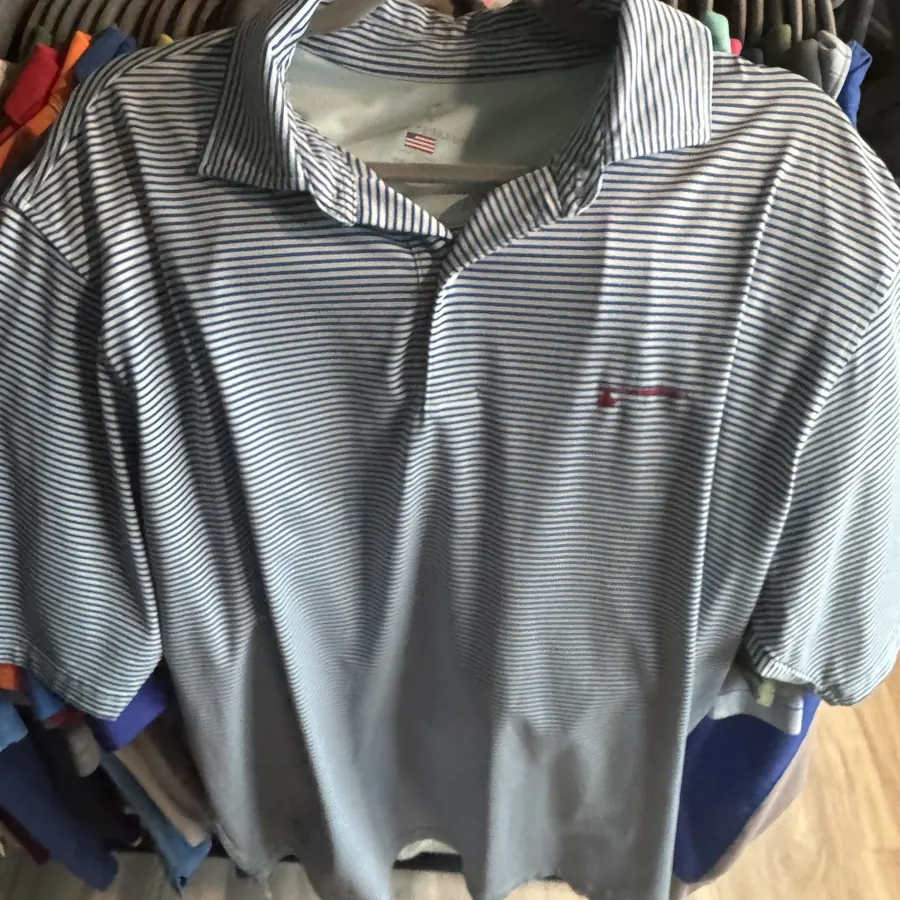
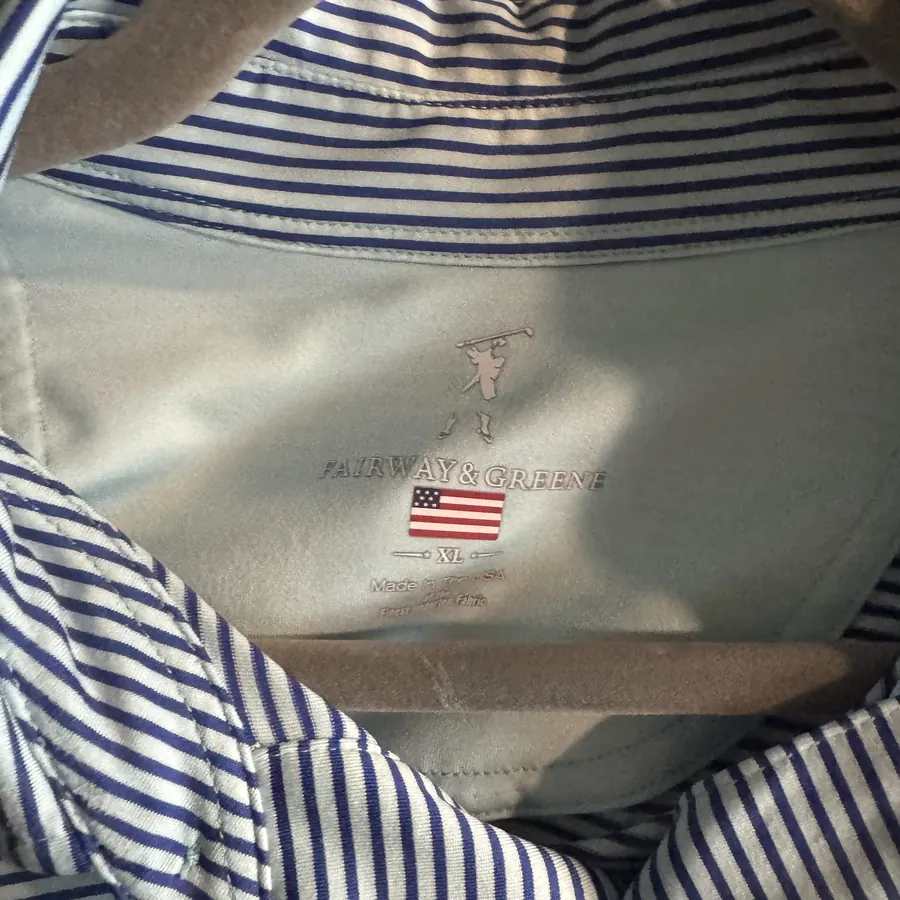
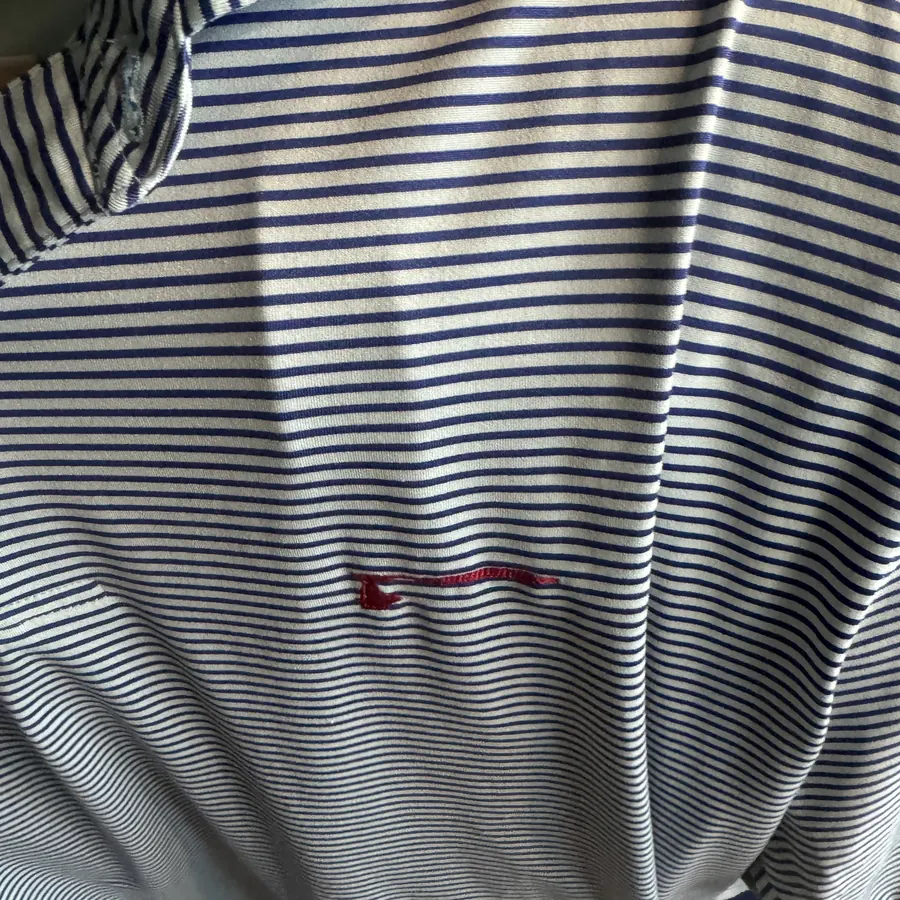
A real find, straight off the rack: a striped performance polo with a course logo stitched on the chest.
How it works
From thrift rack to listing.
Six steps, each one backed by a dedicated AI assistant or a script it helped me write.
- 01 · Thrift Router
Plan the route
Builds an 8-stop driving route from King George, VA around my time window and minutes per stop, with arrive and leave times. Gas and food stops slot in with the least detour.
- 02 · Polo Pricing
Should I buy it?
Snap the front and the tag, then answer a few quick questions. Offline OCR reads the brand and size off the tag, and I get a buy-or-pass call backed by sold and active comps.
- 03 · Intake
Tag every shirt
Each shirt gets a SKU sticker, and the sticker is the first photo. That lets the bot tell which photos in a bulk dump belong to which shirt.
- 04 · Listing Bot
Clean the photos
Groups the photo dump by SKU and cleans up the background, lighting, and crop. It never edits the shirt or hides a defect, and flaws get their own close-up.
- 05 · Listing Bot
Draft the listing
Writes the title, item specifics, description, condition notes, measurements, and a comps-based price. Nothing goes live until I approve it.
- 06 · Inventory
Store, track, re-price
Listed photo sets are filed by SKU. Price checks against sold comps, staggered release groups, and relist audits keep the store honest.
The app
Polo Pipeline.
My control panel for the whole workflow. Every page came out of a conversation on the road. Screens are shown with demo data.
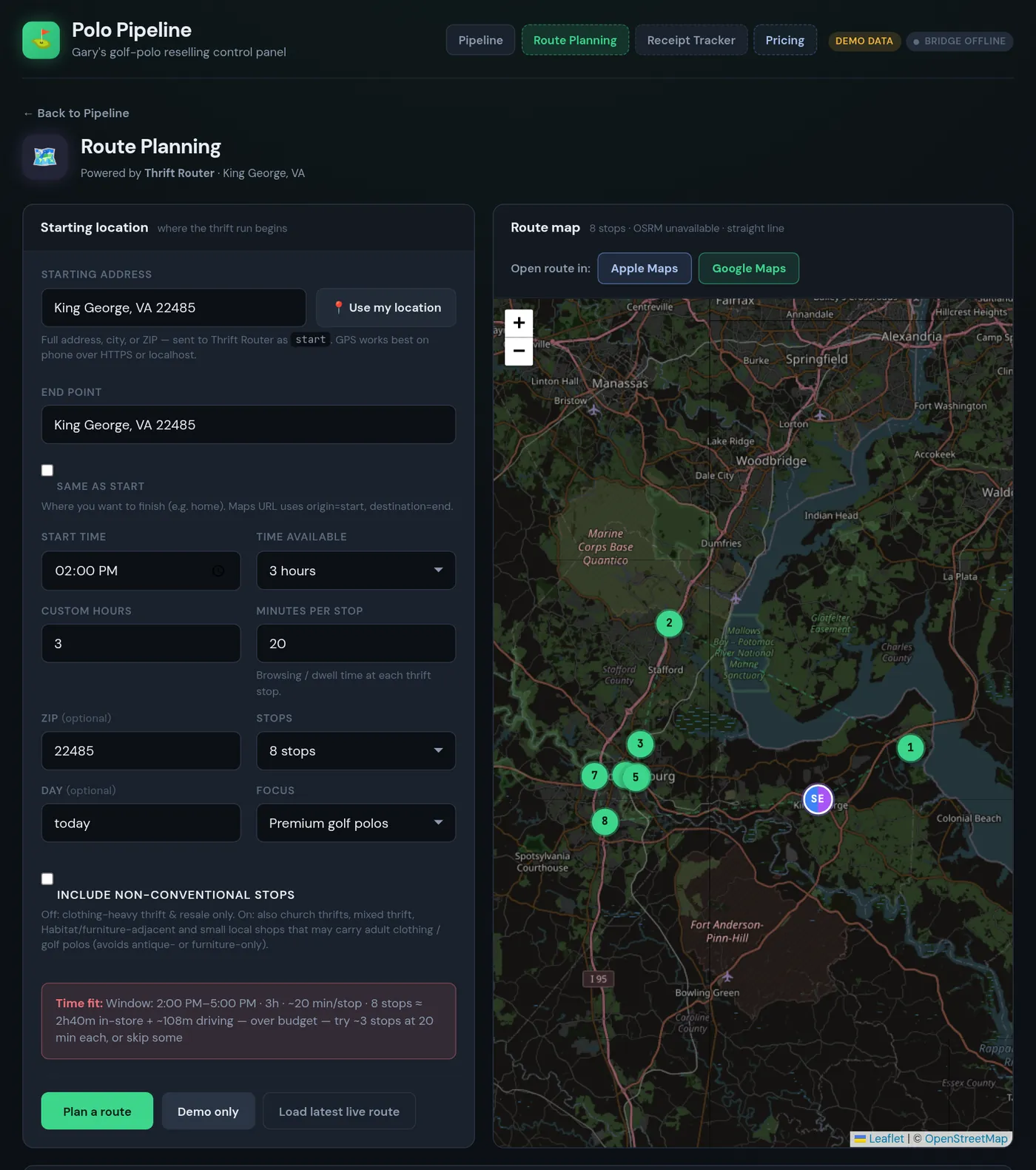
Route Planning
Pick a start, an end, and how much time I have. Thrift Router sends back an ordered route, and the app draws it on a map.
- A time-fit check warns me when the stops won't fit the window.
- Skip recent leaves out stores I hit in the last two weeks.
- Choose clothing-heavy stores only, or add church thrifts and local shops.
- Drag-and-drop pit stops, then open the route in Apple or Google Maps.
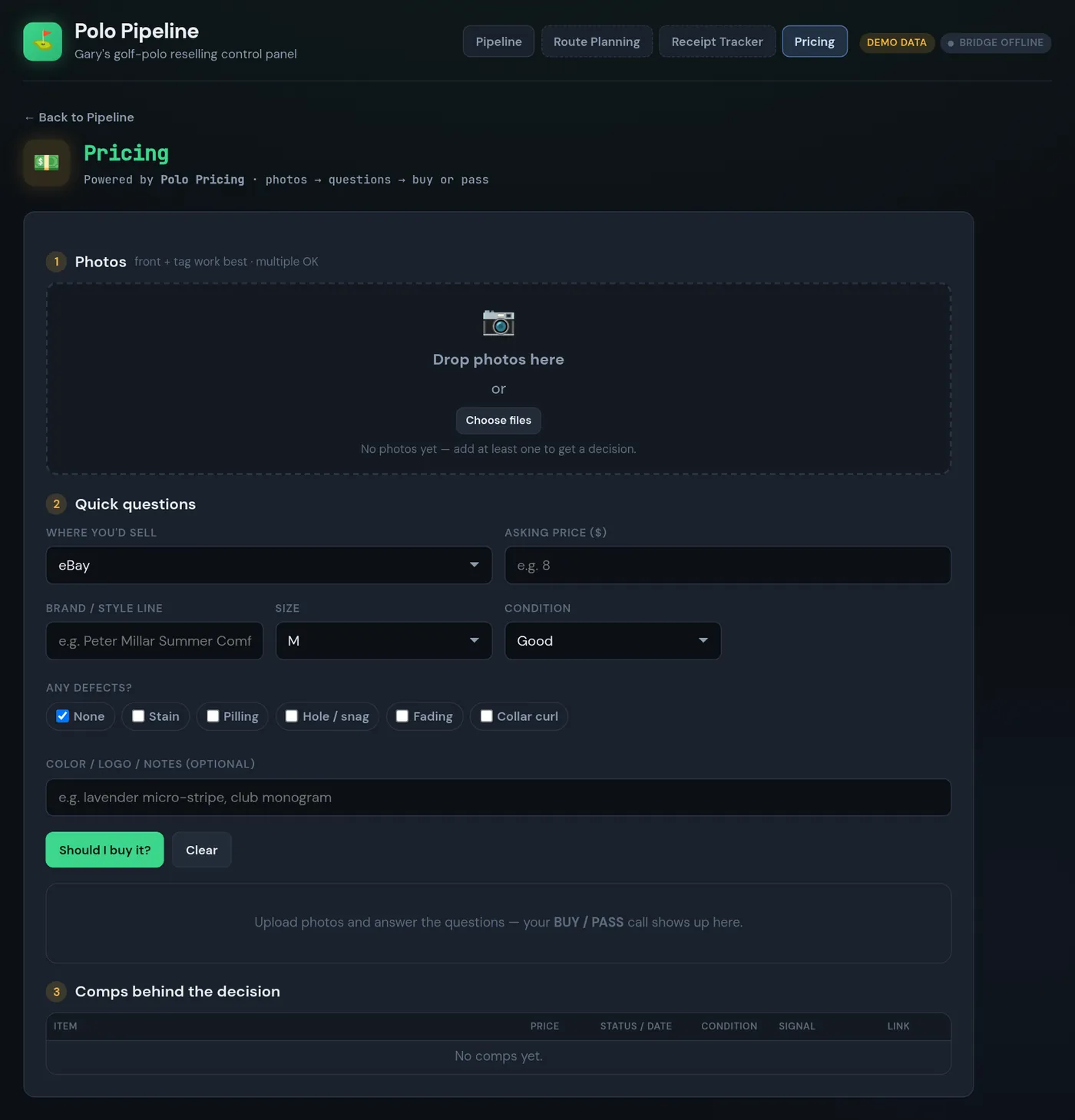
Pricing: “Should I buy it?”
Standing in the aisle, I drop in photos and answer a few questions about brand, size, condition, and defects like stains, pilling, or collar curl.
- Polo Pricing returns buy or pass, a max price to pay, a list price, and a confidence level.
- It always shows the comps behind the call, so I can see why.
- A Receipt Tracker page reads thrift receipts and tracks days since my last visit and my own store ratings.
Photo cleanup
Clean photos, honest shirts.
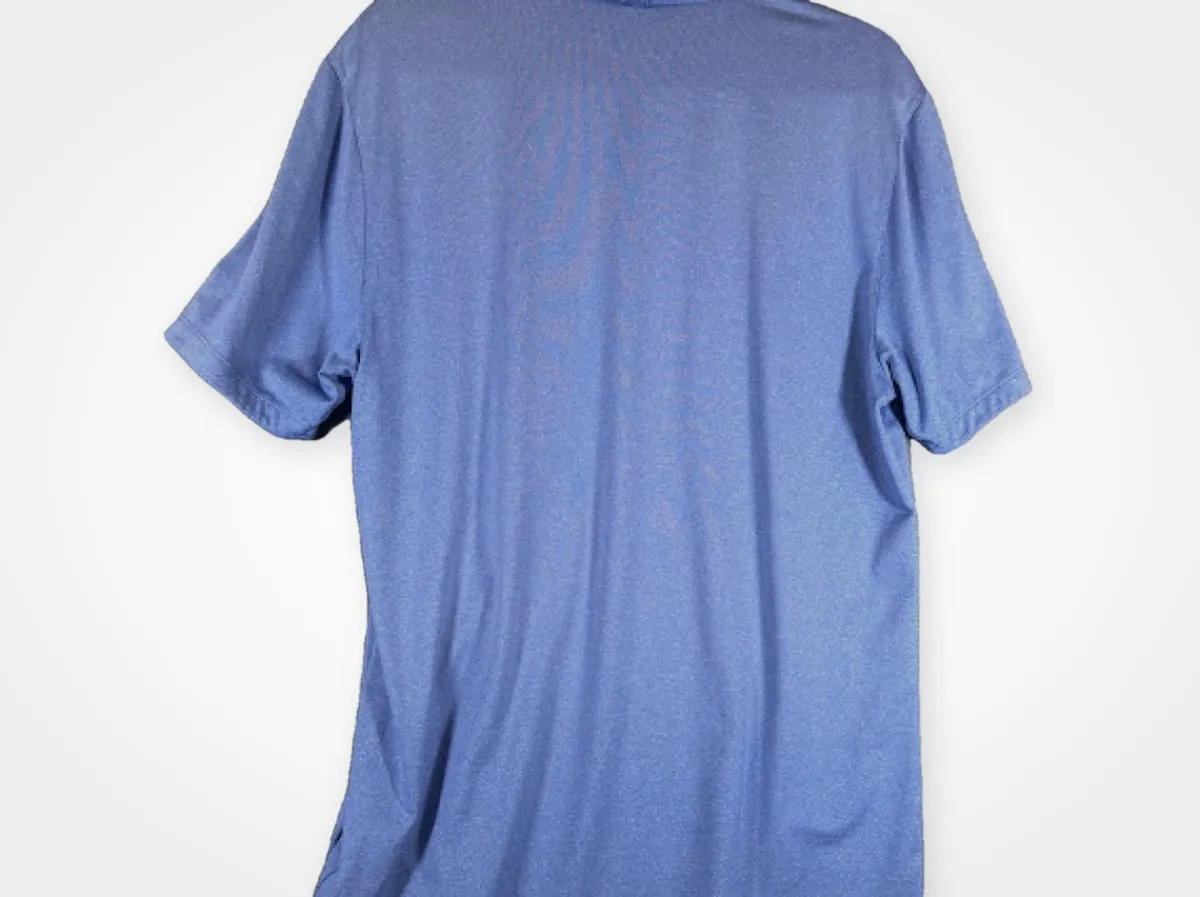
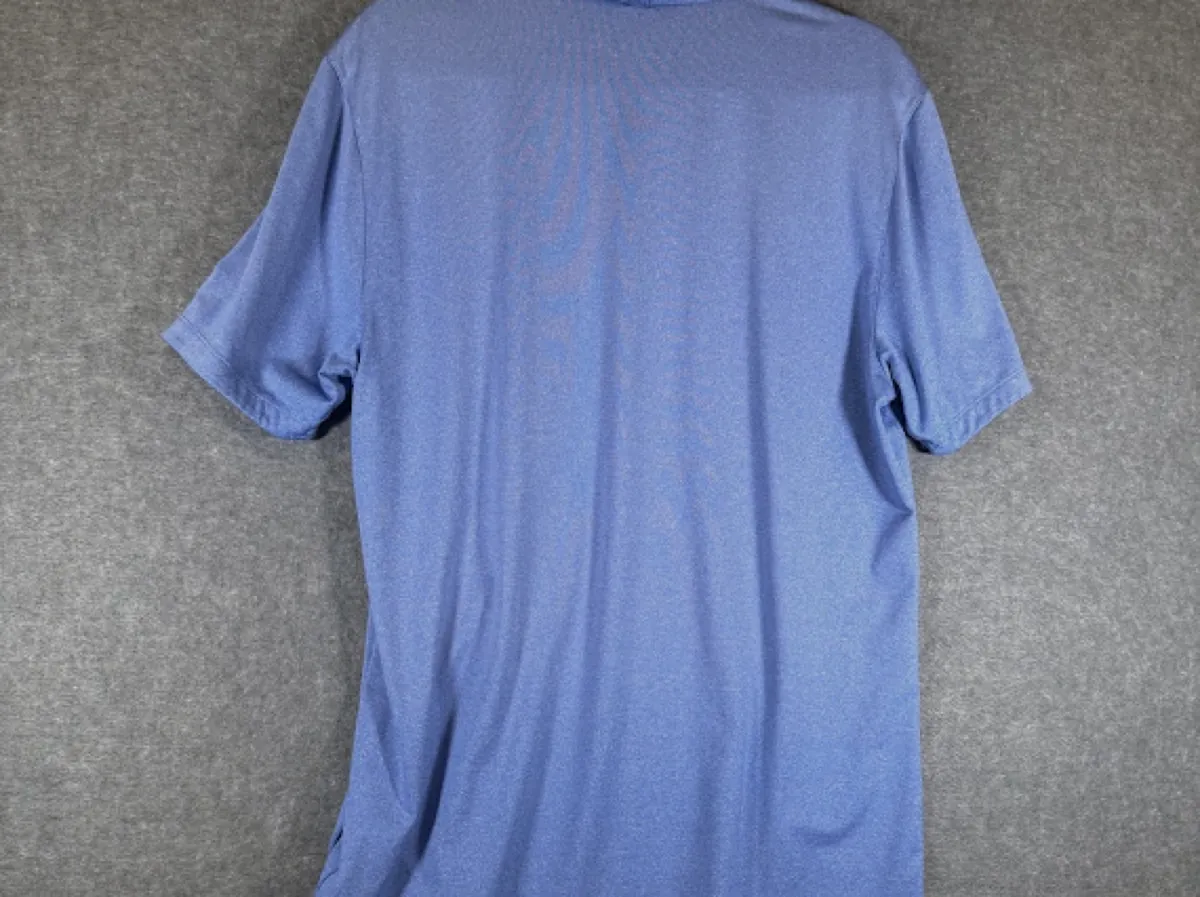
A segmentation model masks the shirt, removes the hanger, and swaps the background. The garment pixels stay untouched. Drag to compare.
Under the hood
Four bots, one bridge.
When I tap a live action in the app (plan a route, get a price, process photos, create listings), it drops a job file into a handoff folder. App Builder watches that folder, passes the job to the right assistant, and writes the result back to the app's inbox.
- Thrift Routerplan_route
- Polo Pricingget_price
- Polo Listing Botprocess_photos · create_listings
Rules the bots follow
- Never publish a listing without my approval.
- Never alter a garment's defects, and never invent SKUs or prices.
- Never write to the original photo folder. Cleaned sets go to their own SKU folder.
- No price call without photos and comps. Route times are estimates without live traffic.
Work in progress
What's next.
- Live handoffs run only when the bridge server is up. Otherwise the app runs on demo data.
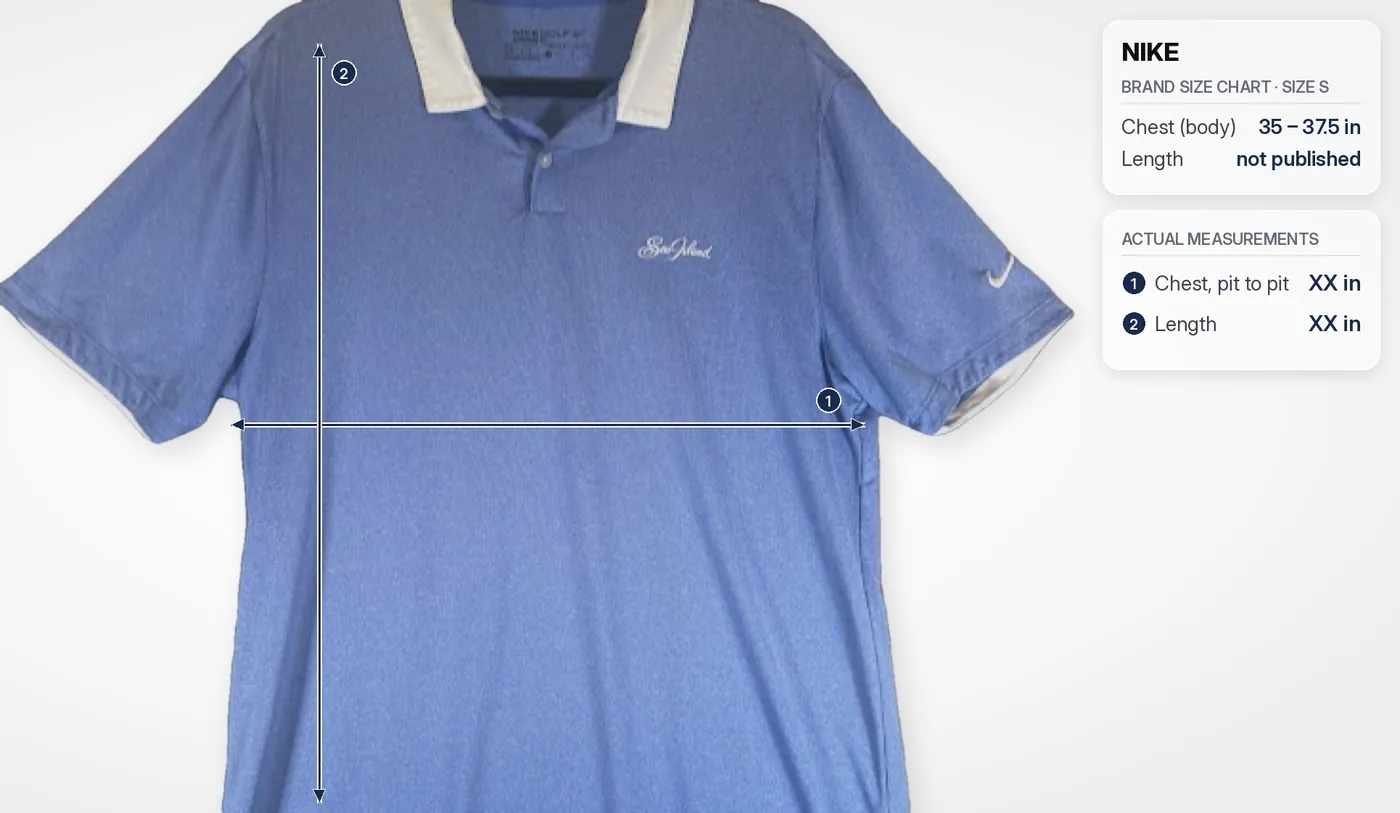
- Measurements are still taken flat by hand. Brand size charts fill in until I measure.
- Storage and retrieval: still figuring out the best way to store listed shirts so I can pull any one quickly.
- Relist audits keep catching wrong sizes, colors, and brands in older titles, so that loop keeps getting tighter.
Talk shop